GPS Map Camera Description
Please watch the teach video to know how to use it.
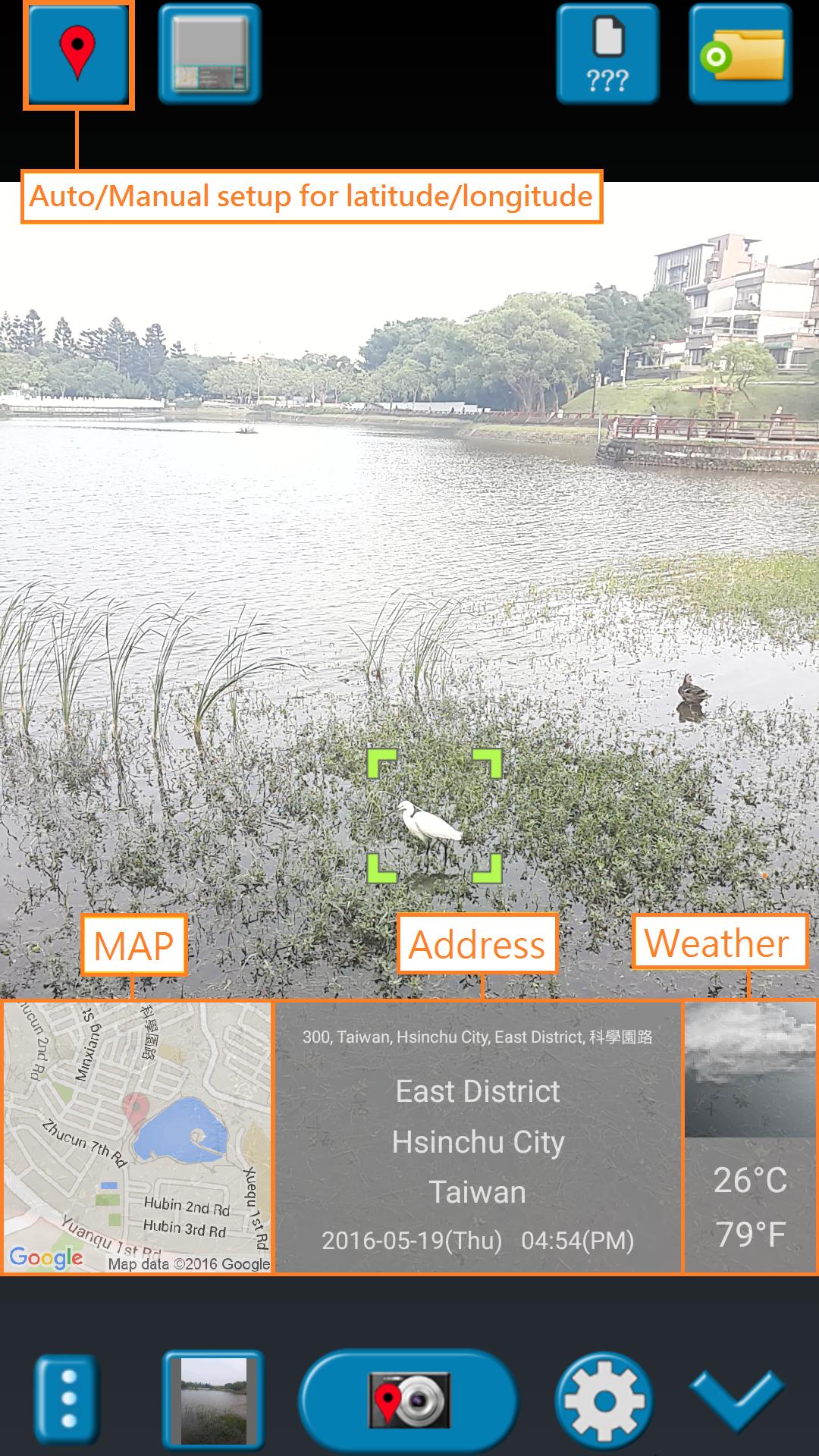
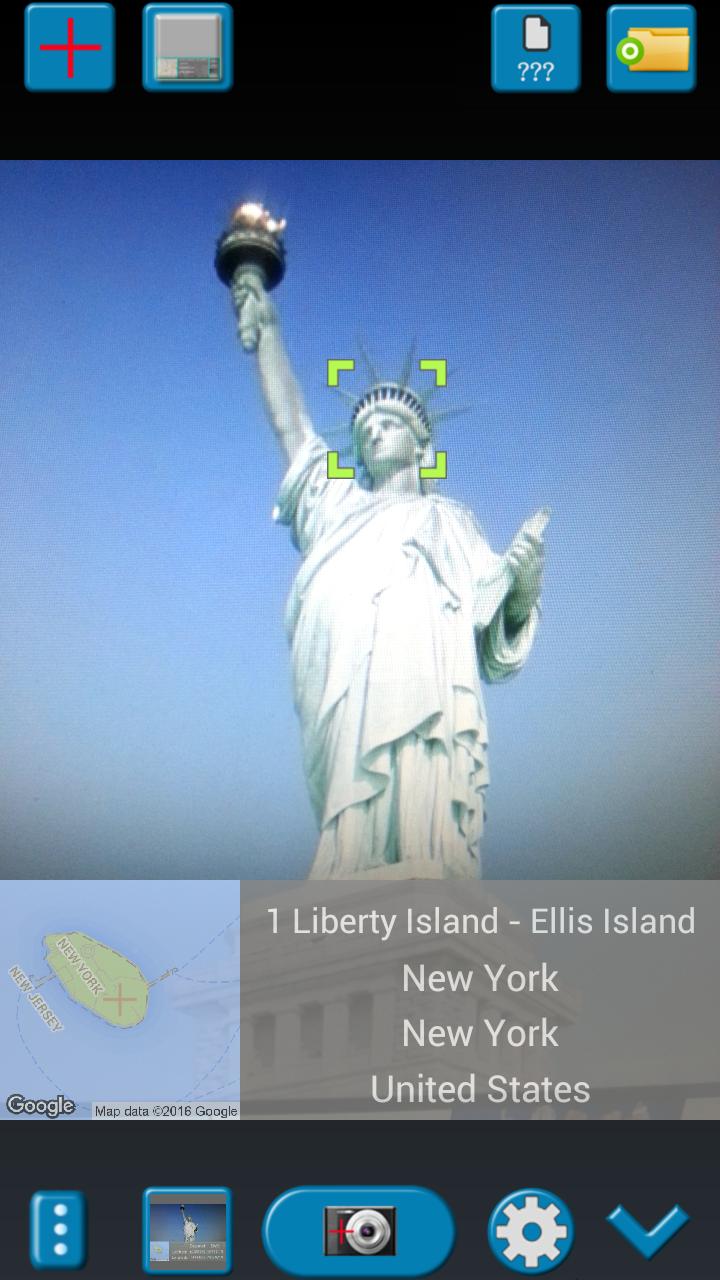
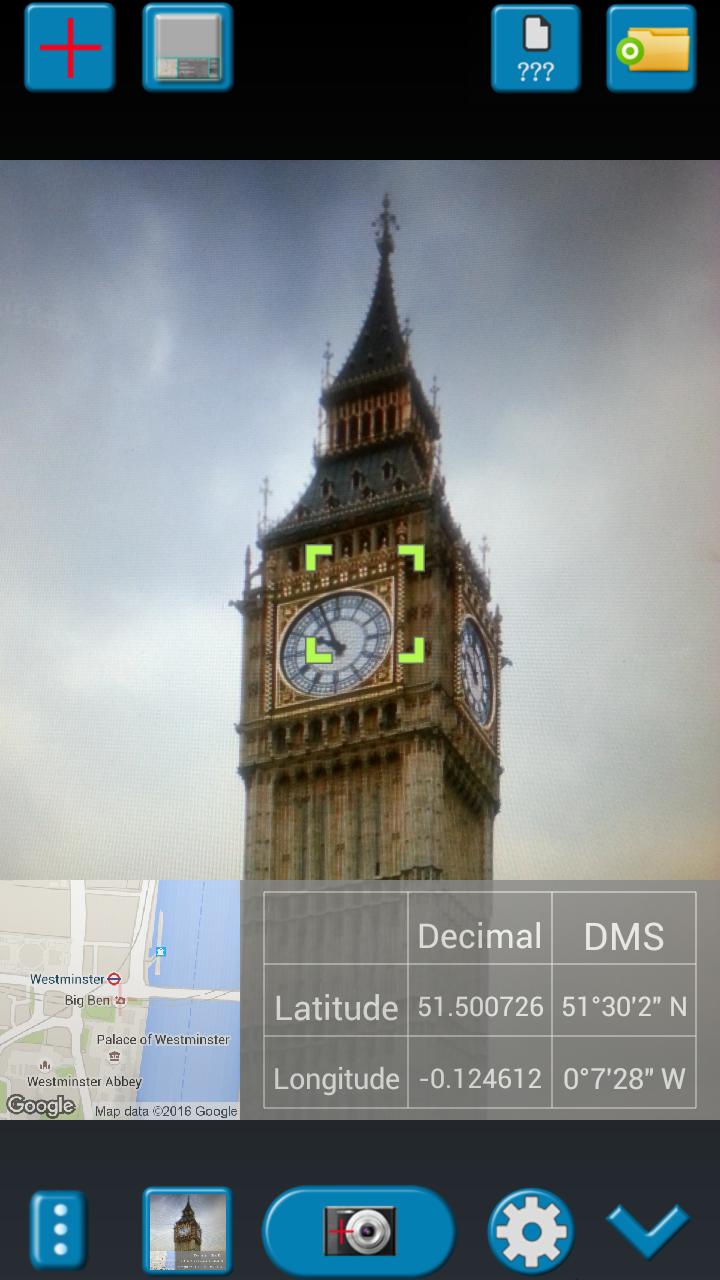
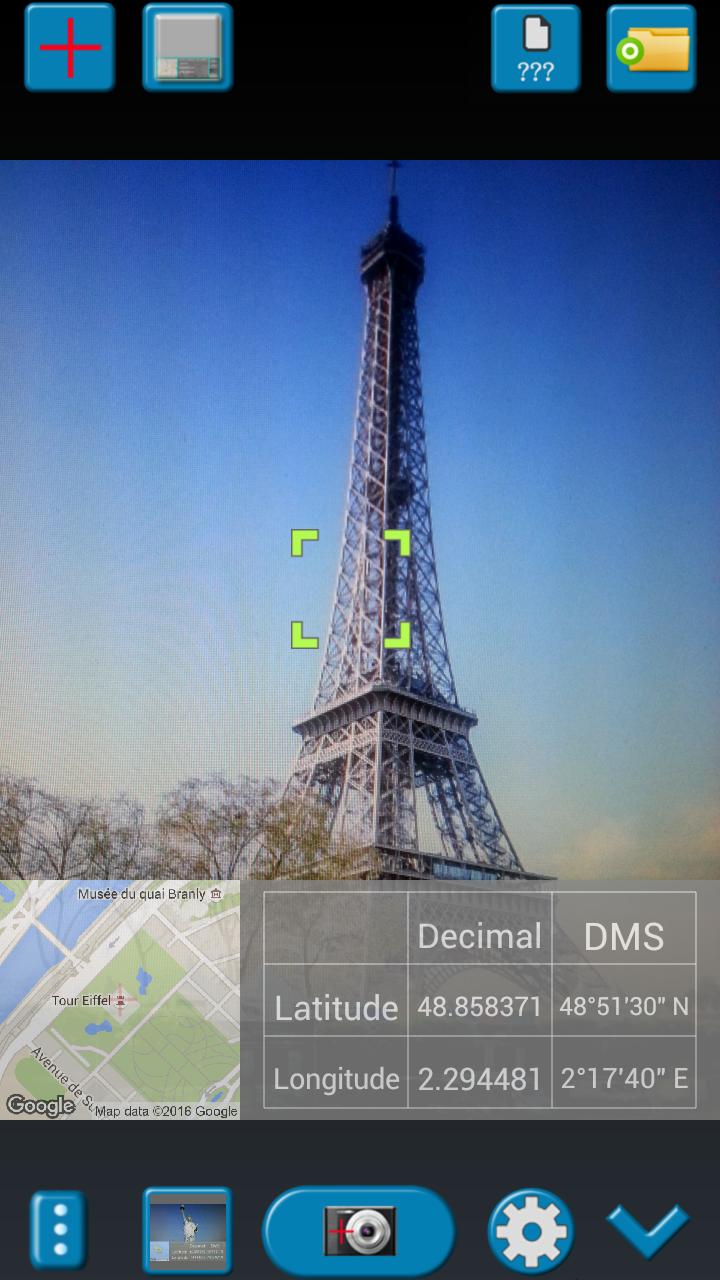
When you take a picture, this application will paste the Google map, address, weather and date to picture. (GPS latitude/longitude information also could be included)
This application is easy to get/set GPS location and GPS coordination for GPS Tag request.
[Quick GPS Map Camera Guideline]
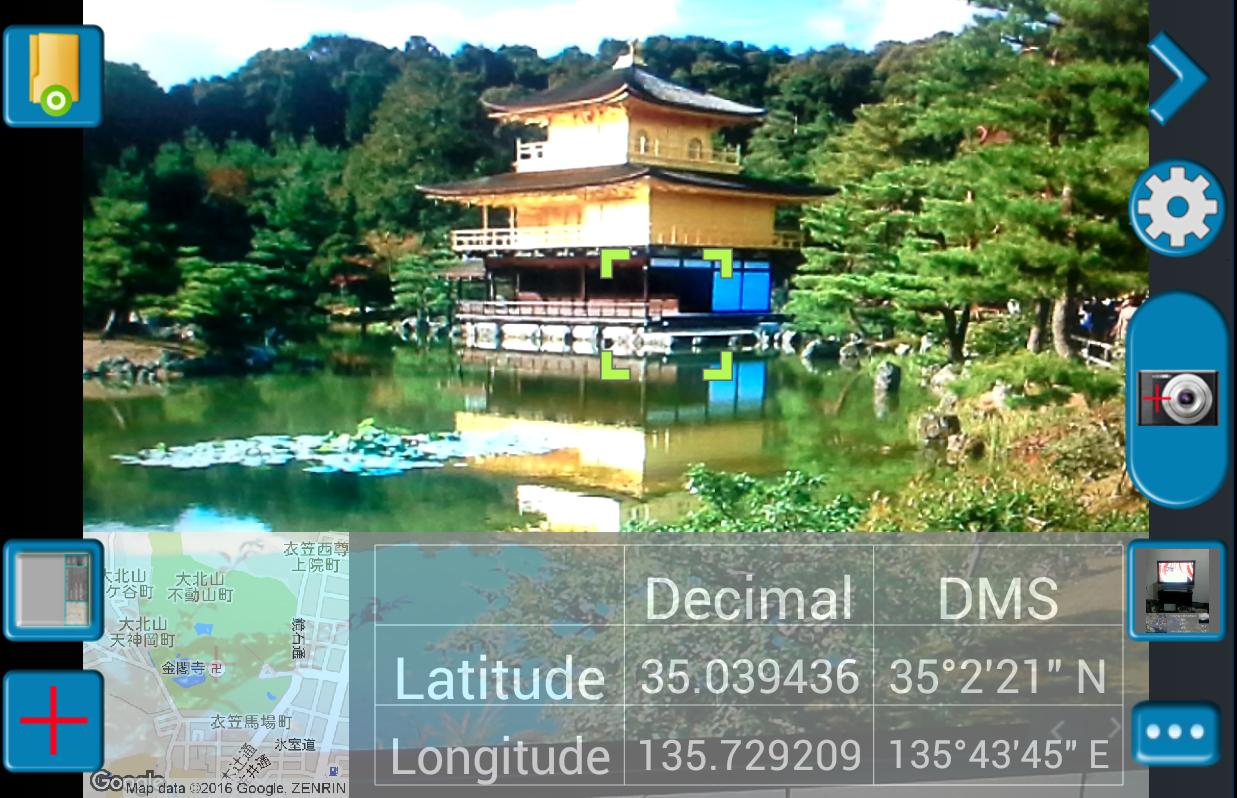
When GPS Map Camera start, map/address/weather will be displayed on the camera preview. You can check the location/coordination before camera capture.
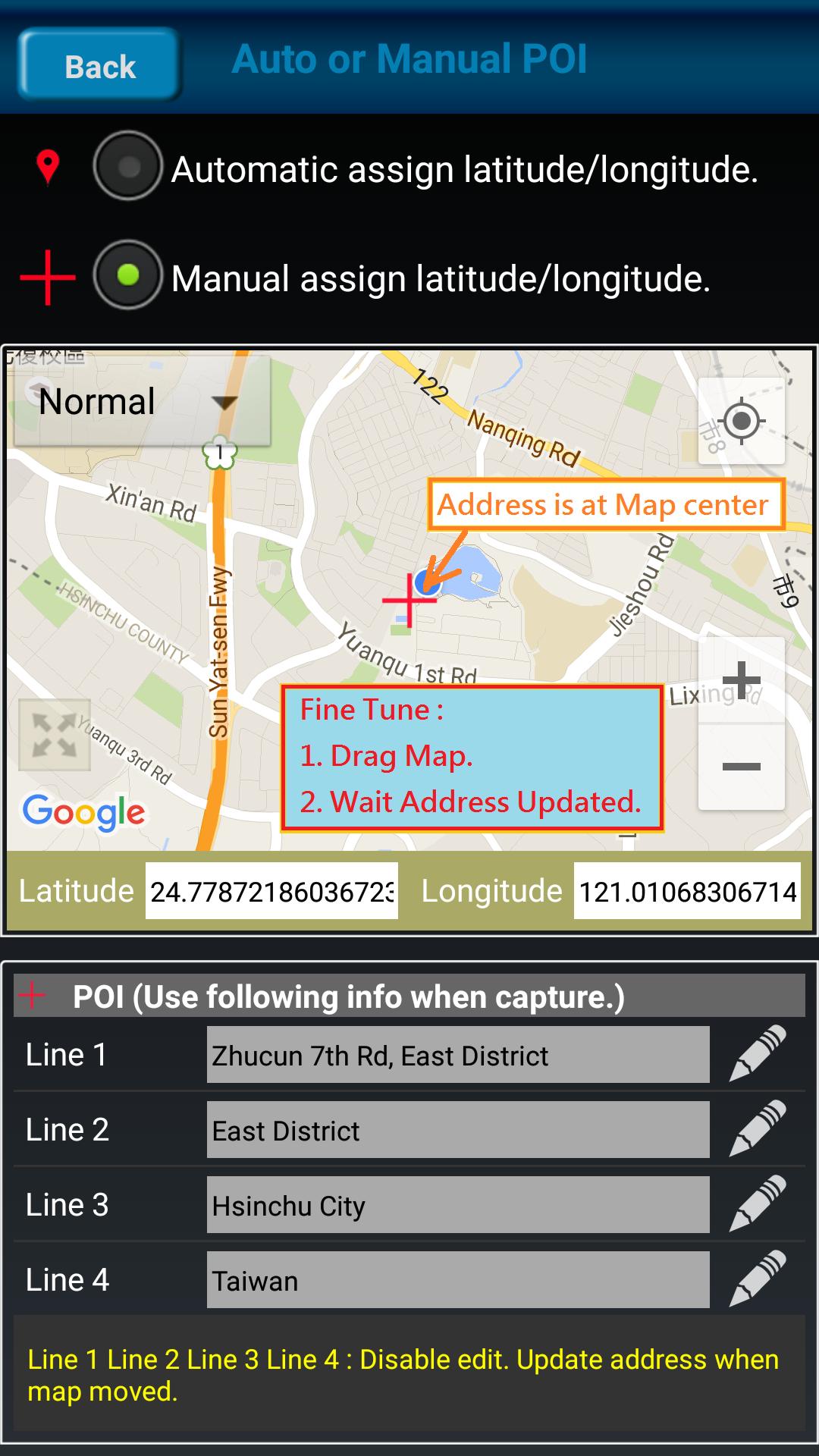
If you want to fine tune the location, manually setup the latitude and longitude also supported. (left-top button)
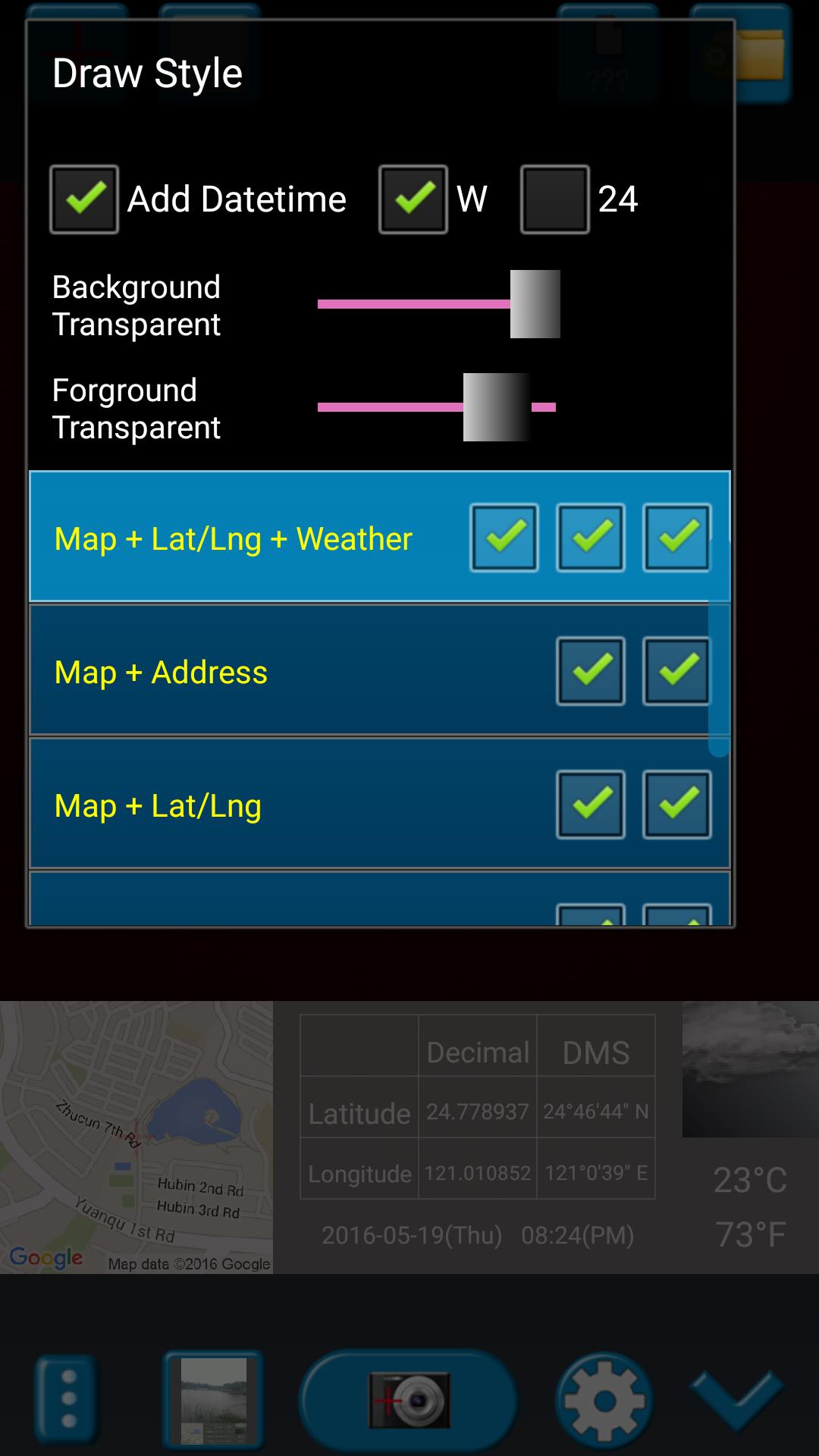
Support some drawing styles for map/address/weather/date. (left-top second button)
Support a variety of file-name formats to help you arrange your photos. (right-top second button)
You can change the picture save folder for help arrange photos. (right-top button)
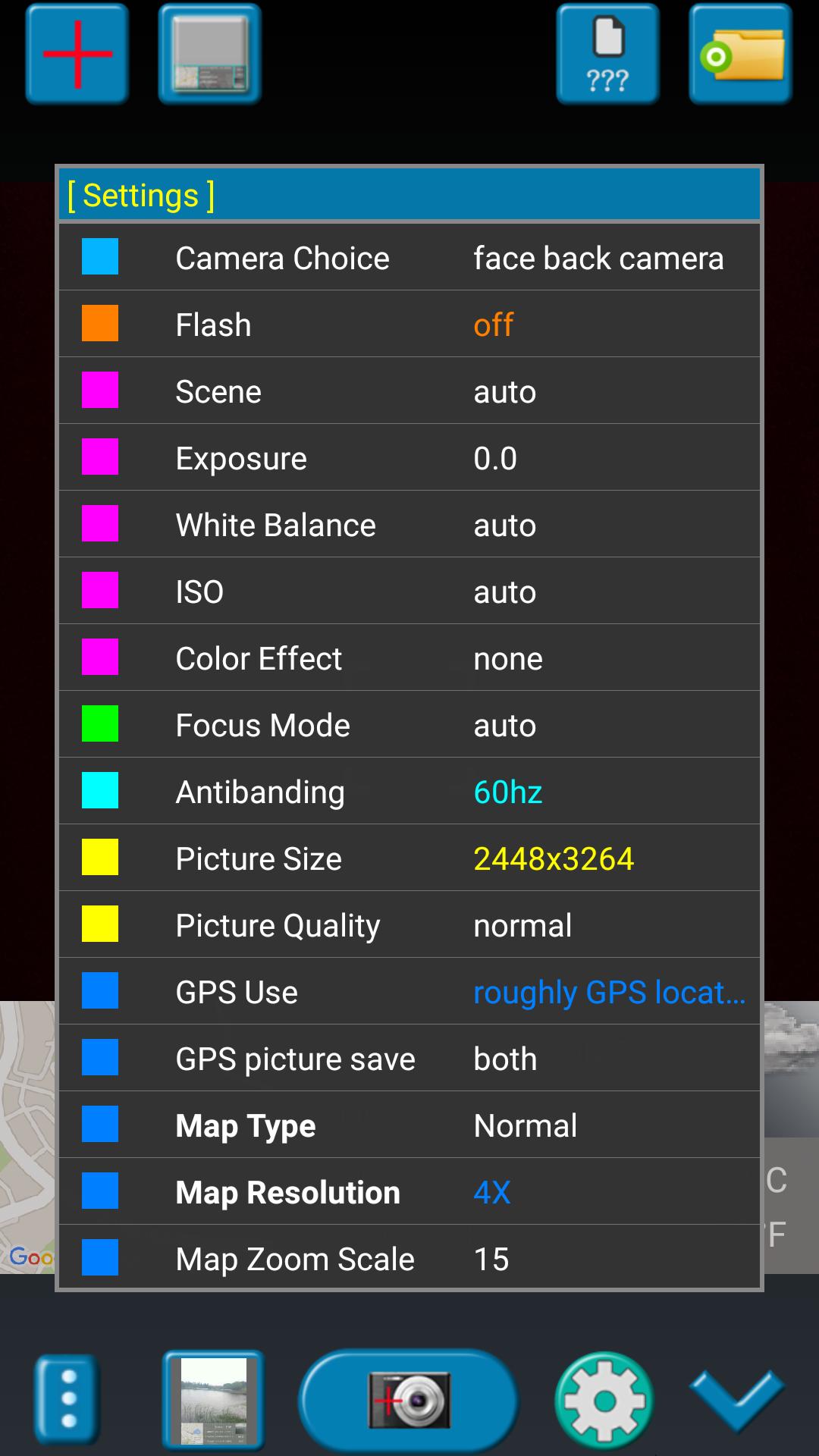
In the camera setting page, the similar functions will be grouped with the same color.
- Camera Choice
- Flash
- Scene/Exposure/White Balance/ISO/Color Effect
- Focus Mode
- Anti-banding
- Picture Size/Picture Quality
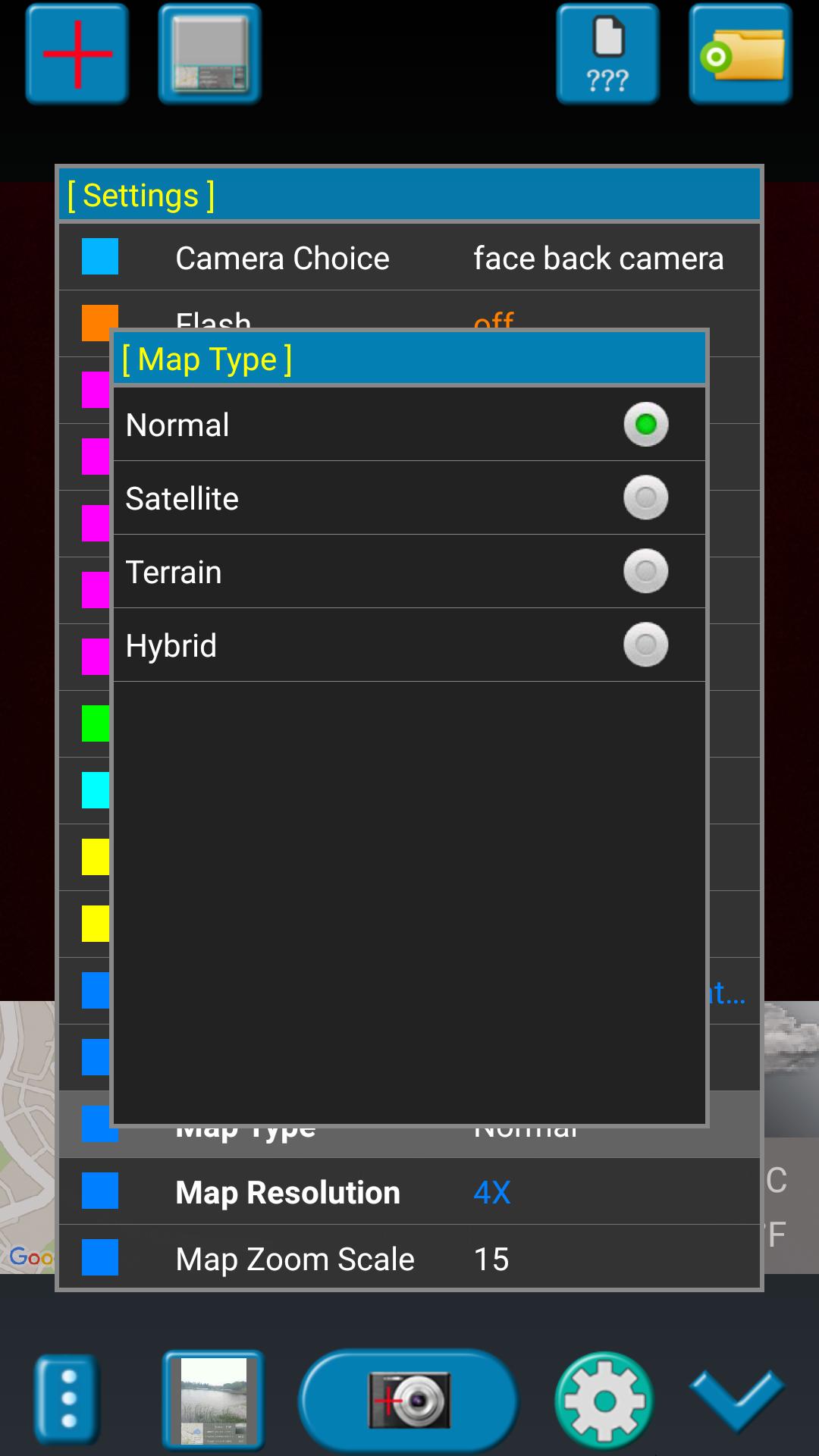
- GPS Use/GPS picture save/Mp Type/Map Resolution/Map Zoom Scale/Map Size
- Photo Viewer
- Sound
- Prompt Dialog
The color of function string is white as default. If change to another function, the color will change to grouped color. It's better to recognize what you set.
[Others]
- Camera focus and zoom operation when preview:
Focus: use one finger to touch the screen.
Zoom: use two fingers to zoom in/out.
- External photo viewer to enhance the viewer ability:
This application's photo viewer which we call it "internal viewer". It is easy to use.
If you want more powerful GPS photo viewer, you need use external photo viewer.
Please setup in the setting page. Select "Photo Viewer" item and then choice "external viewer". It means that "when you click the bottom-left second button, application will launch the external viewer".
- External photo editor:
Currently, this application do not provide photo editor functions by itself.
But it provides external photo editor. You can select one photo and then launch to external photo editor. After edit finished and go back to this application. It helps to copy/move edited photo to your picture save folder. Please check the following description.
[Tips]
- Don't want to get MAP:
Settings -> GPS picture save -> one (original)
- Don't want to save GPS position:
Settings -> GPS Use -> disable GPS
- Don't want to popup prompt dialog:
Settings -> Prompt Dialog -> disable
[Third party resources which application use]
- Google map. ( https://maps.google.com/ )
- Yahoo weather. ( http://weather.yahoo.com/ )
【Recommended External Photo Editor】
( Line Camera )
https://play.google.com/store/apps/details?id=jp.naver.linecamera.android
This APP is now tested more compatible. They support external photo edit more user friendly.
Or you can use system photo editor, it also work. (Test on Samsung Phones.)
【PS】
Please like us on Facebook. Give us the power of love.
https://www.facebook.com/jkfantasy
【Final】
Thank you for use and watch! Hope this app is helpful for you.
When you take a picture, this application will paste the Google map, address, weather and date to picture. (GPS latitude/longitude information also could be included)
This application is easy to get/set GPS location and GPS coordination for GPS Tag request.
[Quick GPS Map Camera Guideline]
When GPS Map Camera start, map/address/weather will be displayed on the camera preview. You can check the location/coordination before camera capture.
If you want to fine tune the location, manually setup the latitude and longitude also supported. (left-top button)
Support some drawing styles for map/address/weather/date. (left-top second button)
Support a variety of file-name formats to help you arrange your photos. (right-top second button)
You can change the picture save folder for help arrange photos. (right-top button)
In the camera setting page, the similar functions will be grouped with the same color.
- Camera Choice
- Flash
- Scene/Exposure/White Balance/ISO/Color Effect
- Focus Mode
- Anti-banding
- Picture Size/Picture Quality
- GPS Use/GPS picture save/Mp Type/Map Resolution/Map Zoom Scale/Map Size
- Photo Viewer
- Sound
- Prompt Dialog
The color of function string is white as default. If change to another function, the color will change to grouped color. It's better to recognize what you set.
[Others]
- Camera focus and zoom operation when preview:
Focus: use one finger to touch the screen.
Zoom: use two fingers to zoom in/out.
- External photo viewer to enhance the viewer ability:
This application's photo viewer which we call it "internal viewer". It is easy to use.
If you want more powerful GPS photo viewer, you need use external photo viewer.
Please setup in the setting page. Select "Photo Viewer" item and then choice "external viewer". It means that "when you click the bottom-left second button, application will launch the external viewer".
- External photo editor:
Currently, this application do not provide photo editor functions by itself.
But it provides external photo editor. You can select one photo and then launch to external photo editor. After edit finished and go back to this application. It helps to copy/move edited photo to your picture save folder. Please check the following description.
[Tips]
- Don't want to get MAP:
Settings -> GPS picture save -> one (original)
- Don't want to save GPS position:
Settings -> GPS Use -> disable GPS
- Don't want to popup prompt dialog:
Settings -> Prompt Dialog -> disable
[Third party resources which application use]
- Google map. ( https://maps.google.com/ )
- Yahoo weather. ( http://weather.yahoo.com/ )
【Recommended External Photo Editor】
( Line Camera )
https://play.google.com/store/apps/details?id=jp.naver.linecamera.android
This APP is now tested more compatible. They support external photo edit more user friendly.
Or you can use system photo editor, it also work. (Test on Samsung Phones.)
【PS】
Please like us on Facebook. Give us the power of love.
https://www.facebook.com/jkfantasy
【Final】
Thank you for use and watch! Hope this app is helpful for you.
What's new
Version 1.8.2 (May 30, 2020)
1. Minor bugs fixed.
This is the latest APK we verified and uploaded. Older versions are still available.
Additional Information
Category
App › Travel & Local
Version
1.8.2
Updated
May 30, 2020
Requires Android
Android: 4.0–4.0.2+ Ice Cream Sandwich (API 14)
Permissions
Architectures
Unknown
Target Android
Android: 9 Pie (API 28)
Estimated Download Time
File Size: 3.61 MB
3G network (~2 Mbps)
18 seconds
4G LTE (~25 Mbps)
2 seconds
5G network (~150 Mbps)
1 seconds
Broadband / Wi-Fi (~100 Mbps)
1 seconds
Hashes
SHA-1
808A0275C9B81E4FA4792C5DA729FEA4BA13A7B9SHA-256
71F784A7CD9C07AD60AFFF0DBBC9DBBE76347CFE86109D9EEB7977C508596C14Signing Certificate SHA-1
0228CC14951EFADB0C9FF57A8806C7B09FA83604Available On