APKs
Split APK — use Split APKs Installer (SAI) to install.
About BedrockTogether
BedrockTogether Description
BedrockTogether is the easiest way to join any Minecraft Bedrock Edition server on Xbox, PlayStation, Nintendo Switch, and other console platforms. It makes any Bedrock server appear as a LAN game inside Minecraft, so you can connect to your favourite multiplayer servers in seconds — no PC and no DNS rerouting required.
Play on thousands of Minecraft Bedrock servers straight from your console. Whether you're on Xbox, PlayStation 4, PlayStation 5, or Nintendo Switch, BedrockTogether lets you connect to survival servers, minigames, and SMP worlds. Compatible with Minecraft Bedrock Edition (MCPE / Pocket Edition) servers.
Note: Realms are currently not supported by BedrockTogether.
How to connect to a server:
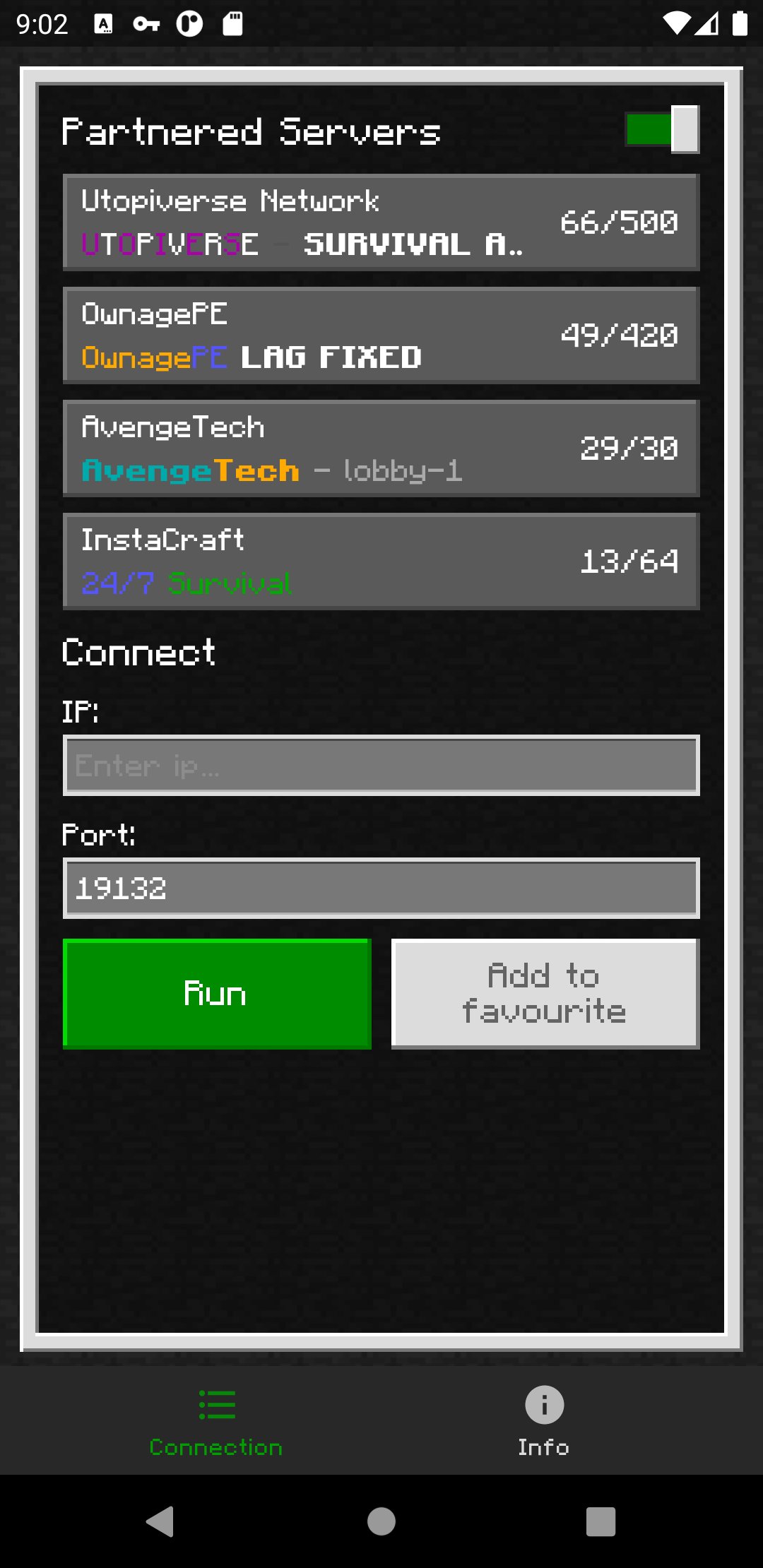
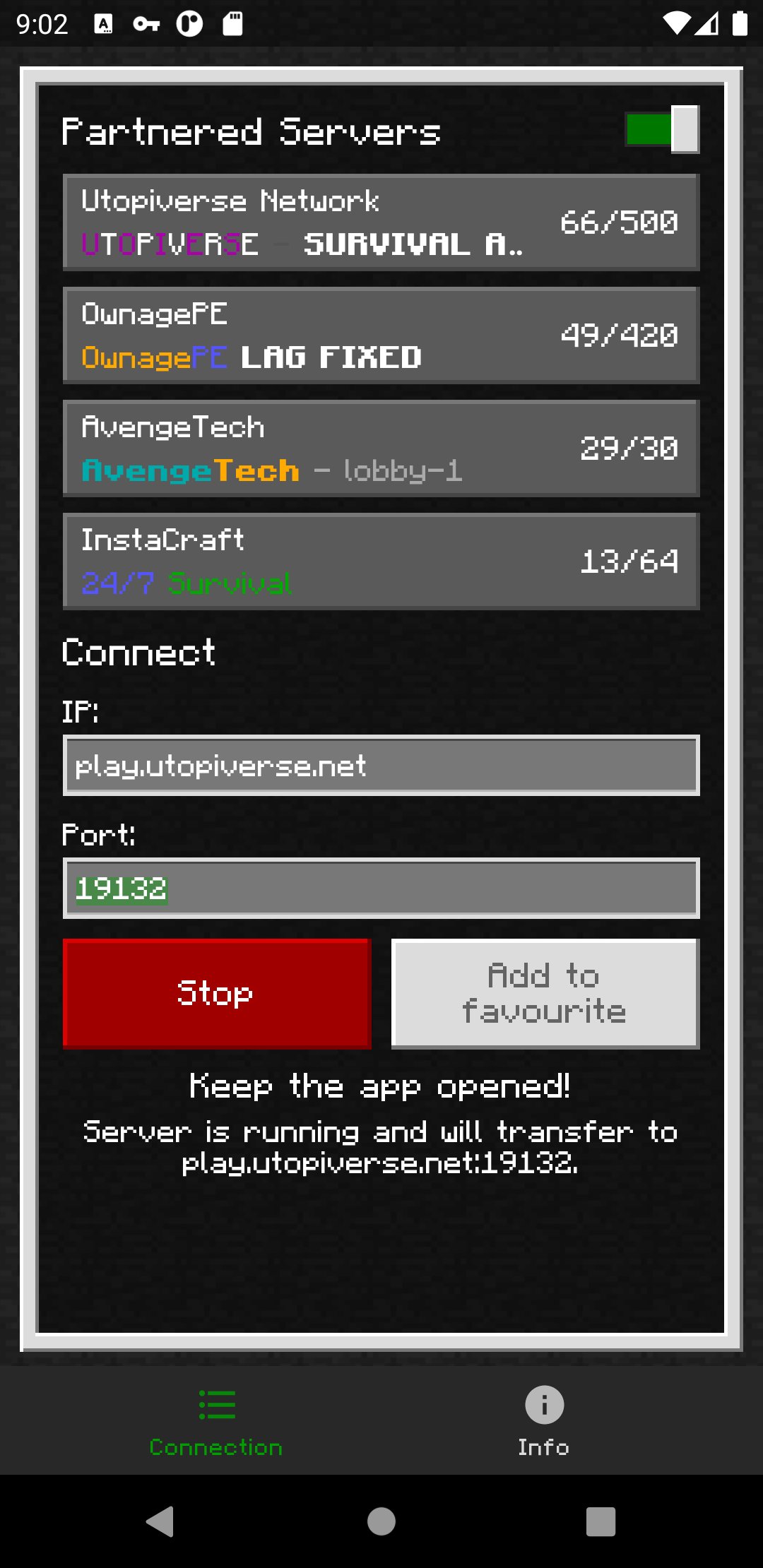
1. Enter your desired server IP and port.
2. Tap the "Run" button.
3. Open Minecraft and go to the "Friends" tab.
4. Join the server from the LAN games list.
5. Close BedrockTogether once your console has joined the server.
Troubleshooting:
- Make sure your gaming console and your mobile device are on the same Wi-Fi / LAN network.
- Make sure "Visible to LAN Players" is turned on in Minecraft's multiplayer settings.
Why BedrockTogether?
- Join any Minecraft Bedrock server on Xbox, PlayStation and Nintendo Switch
- Simple LAN connection — no DNS, no PC, no complicated setup
- Works with survival, SMP, multiplayer minigames and community servers
- Trusted by millions of Minecraft players
Found a bug? Join our Discord and report it in the #bugs channel:
https://discord.gg/3NxZEt8
Or reach us on Telegram: t.me/extollite
Application icon made by nataliagemel.pl
Disclaimer: BedrockTogether is a third-party application. BedrockTogether is not an endorsed extension of, or affiliated with, Minecraft, its creators or proprietors, Mojang AB, Microsoft, Xbox, or Xbox Live in any way.
NOT AN OFFICIAL MINECRAFT PRODUCT. NOT APPROVED BY OR ASSOCIATED WITH MOJANG OR MICROSOFT.
Play on thousands of Minecraft Bedrock servers straight from your console. Whether you're on Xbox, PlayStation 4, PlayStation 5, or Nintendo Switch, BedrockTogether lets you connect to survival servers, minigames, and SMP worlds. Compatible with Minecraft Bedrock Edition (MCPE / Pocket Edition) servers.
Note: Realms are currently not supported by BedrockTogether.
How to connect to a server:
1. Enter your desired server IP and port.
2. Tap the "Run" button.
3. Open Minecraft and go to the "Friends" tab.
4. Join the server from the LAN games list.
5. Close BedrockTogether once your console has joined the server.
Troubleshooting:
- Make sure your gaming console and your mobile device are on the same Wi-Fi / LAN network.
- Make sure "Visible to LAN Players" is turned on in Minecraft's multiplayer settings.
Why BedrockTogether?
- Join any Minecraft Bedrock server on Xbox, PlayStation and Nintendo Switch
- Simple LAN connection — no DNS, no PC, no complicated setup
- Works with survival, SMP, multiplayer minigames and community servers
- Trusted by millions of Minecraft players
Found a bug? Join our Discord and report it in the #bugs channel:
https://discord.gg/3NxZEt8
Or reach us on Telegram: t.me/extollite
Application icon made by nataliagemel.pl
Disclaimer: BedrockTogether is a third-party application. BedrockTogether is not an endorsed extension of, or affiliated with, Minecraft, its creators or proprietors, Mojang AB, Microsoft, Xbox, or Xbox Live in any way.
NOT AN OFFICIAL MINECRAFT PRODUCT. NOT APPROVED BY OR ASSOCIATED WITH MOJANG OR MICROSOFT.
What's new
Version 1.26.45.1 (Aug 22, 2026)
This is the latest APK we verified and uploaded. Older versions are still available.
Frequently Asked Questions
You install BedrockTogether on a mobile device, type the server’s IP address and port, tap Run, then open Minecraft on the console. The server appears in the LAN games list under the Friends tab, allowing you to join instantly without a PC.
No. BedrockTogether creates a virtual LAN connection, so you only need the app on a mobile device and a shared Wi‑Fi network. No DNS rerouting or PC is required.
The app works with Xbox (One, Series X|S), PlayStation 4 and 5, Nintendo Switch and any other platform that runs Minecraft Bedrock Edition and can see LAN games.
Both the console and the mobile device must be on the same Wi‑Fi/LAN network, and the “Visible to LAN Players” option must be enabled in Minecraft’s multiplayer settings.
No separate account is required. You only need a Minecraft Bedrock Edition account on your console to join servers.
Additional Information
Category
App › Tools
Version
1.26.45.1
Updated
Aug 22, 2026
Requires Android
Android: 8.0+ Oreo (API 26)
Permissions
Low risk
20 / 100
High risk
The app requests internet access, advertising IDs, foreground service, notification posting, network state, wake lock and license verification. These are typical for connectivity, ads and background operation and do not access sensitive data such as camera, microphone, contacts, or location, resulting in a low risk rating.
Architectures
Supports 64-bit ARM Android CPU architectures.
arm64-v8a
64-bit
Most modern phones & tablets
Your device
Target Android
Android: 16 Android 16 (API 36)
Estimated Download Time
File Size: 68.65 MB
3G network (~2 Mbps)
5m 30s
4G LTE (~25 Mbps)
27 seconds
5G network (~150 Mbps)
5 seconds
Broadband / Wi-Fi (~100 Mbps)
7 seconds
Hashes
SHA-1
08dd6af2676f2e75e4e5ea277c1a193cb26a094fSHA-256
CA714AFEFDDD4583E0B235CFA8C5DA6333602985E8189CAC81B090A59F70D35CSigning Certificate SHA-1
3fd4ee826848298db08ecfd092f6bf1e0309c2dcAvailable On